Cold traffic on Etsy is weird.
These people did not wake up thinking, “I hope I find your shop today.” They just typed something into search, clicked a photo that looked promising, and now they are skimming. Fast. With one eyebrow raised.
And your description is either going to calm their brain down. Or make them bounce.
The good news is you do not need to be “good at copywriting” to fix this. You just need a description structure that does the job in the right order.
So below, I’m going to give you a plug and play Etsy description template that’s built for cold traffic. Plus examples, a few lines you can steal, and the small details that quietly increase conversions.
I’ll also show where most Etsy descriptions go wrong, because honestly it’s usually the same 3 mistakes.
Why cold traffic needs a different kind of Etsy description
Warm traffic already trusts you.
Cold traffic does not. They are looking for proof. Clarity. A reason to believe the photo.
On Etsy, the product photos and title get the click. But the description often closes the sale because it answers the annoying little questions people have in their head:
- What exactly am I getting?
- Will it fit my situation?
- Is the quality decent?
- How fast does it ship?
- What if I mess up the personalization?
- Is this a scam listing with pretty mockups?
If your description does not answer those questions in a clean, skimmable way, they keep scrolling.
Also, Etsy surfaces parts of your description in Google sometimes, and Etsy’s own search understands your listing better when you naturally include relevant phrasing. So it’s not just “for humans,” it helps discovery too.
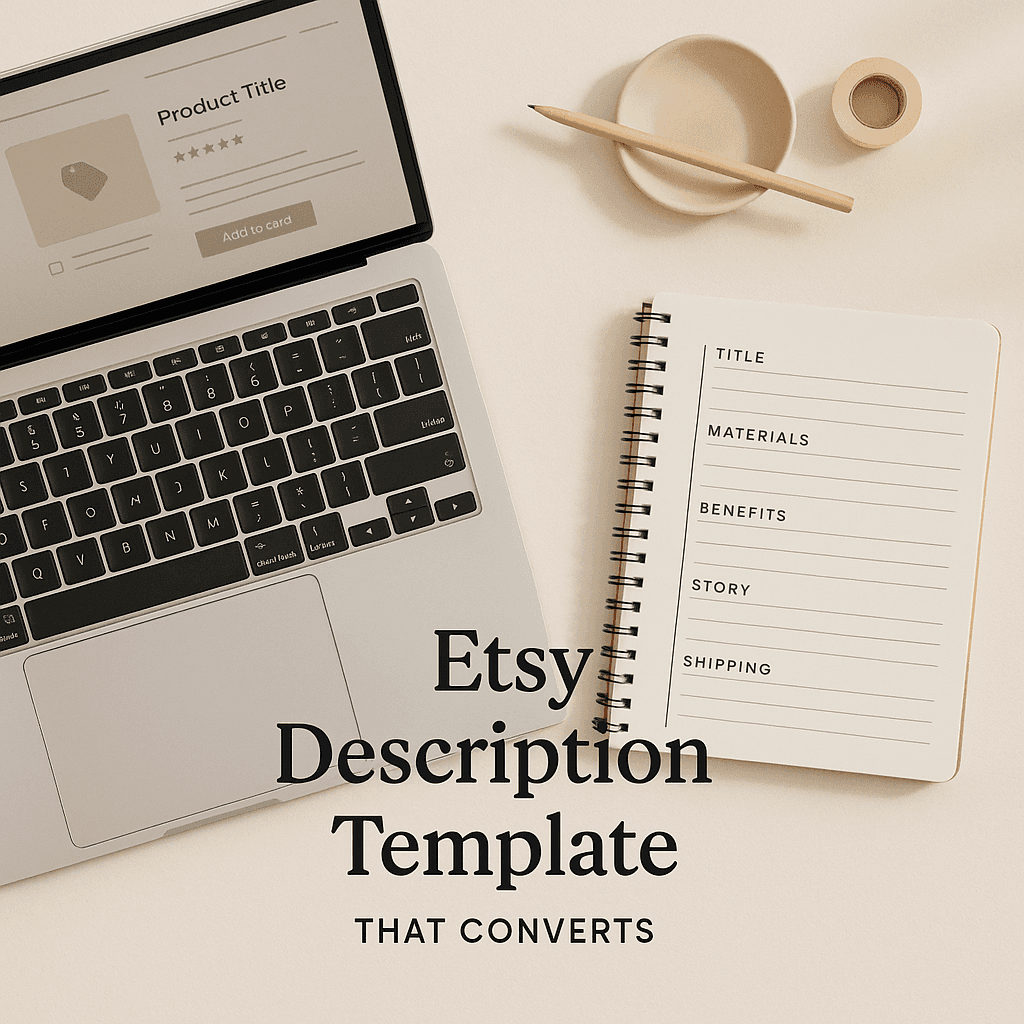
The 7 part Etsy description template (copy and paste)
You can paste this into your listing description and fill in the brackets.
Keep the formatting. The spacing matters. People skim.
1) Hook + product one liner (what it is, who it’s for)
Template:
[Product name] that’s [benefit / vibe] for [recipient or use case].
Perfect for [occasion], [another occasion], or just because.
Example:
Funny cat mom sweatshirt that’s soft, cozy, and actually flattering.
Perfect for birthdays, casual weekends, or gifting your favorite cat person.
2) The “what you’ll love” bullets (benefits first, not specs)
Template:
What you’ll love:
- [Main benefit] (ex: super soft feel, lightweight, cozy, etc.)
- [Social proof style benefit] (ex: giftable, gets compliments, funny, etc.)
- [Use benefit] (ex: easy everyday wear, works with jeans, etc.)
- [Quality / durability benefit] (ex: holds up after washing, etc.)
Example:
What you’ll love:
- Soft, cozy feel without being bulky
- Funny design that gets noticed (in a good way)
- Easy everyday fit, looks great with jeans or leggings
- Print holds up well with normal wash care
3) Exactly what they get (remove uncertainty)
Cold buyers hate ambiguity.
Template:
You’ll receive:
- [Item type] (ex: 1 unisex sweatshirt, 1 poster print, 1 mug, etc.)
- [If multiple options] Choose your [size/color/style] from the dropdown
- [If digital] Instant download files: [file types + sizes]
Example:
You’ll receive:
- 1 unisex crewneck sweatshirt
- Choose your size and color from the dropdown menus
4) Sizing and fit (make this painfully clear)
Even if you already have a size chart image, include a quick sizing note. People reading descriptions are trying to avoid returns.
Template:
Sizing + fit:
- Fit: [unisex / true to size / runs large / runs small]
- For a relaxed fit: [suggest size up if needed]
- See size chart in photos for exact measurements
Example:
Sizing + fit:
- Fit: unisex, true to size
- Want an oversized look? Size up 1
- See size chart in photos for exact measurements
5) Materials, printing, and care (trust builder)
This is where you quietly prove it’s not a low effort listing.
Template:
Materials + care:
- Material: [fabric/material]
- Print method: [DTG / sublimation / etc. if you know]
- Care: [wash/care instructions]
Example:
Materials + care:
- Material: cotton blend (soft, breathable)
- Printed to order
- Care: wash inside out, cold water, tumble dry low for best longevity
6) Shipping timelines + processing (set expectations)
Do not bury this. Cold traffic worries about timing.
Template:
Processing + shipping:
- Processing time: [X] business days
- Shipping: [X] business days (varies by location)
- Need it by a specific date? Send me a message before ordering.
Example:
Processing + shipping:
- Processing time: 2 to 5 business days
- Shipping: 2 to 6 business days (varies by location)
- Need it by a certain date? Message me first and I’ll confirm.
7) CTA + reassurance (tell them what to do next)
Most listings just end. Do not do that.
Template:
If you’re ready, choose your [options] and click Add to cart.
Questions? Message me and I’ll help you pick the right [size/style/etc.].
Example:
Ready to order? Pick your size and color, then click Add to cart.
If you’re unsure on sizing, message me and I’ll help.
Optional sections that increase conversions (use when relevant)
Not every listing needs these, but when they apply, they work.
Personalization section (for custom names, dates, etc.)
Template:
Personalization (please double check):
Add [what you need from them] in the personalization box.
Example format: [example input]
I copy and paste exactly what you type.
This last line reduces mistakes. A lot.
Gift note section (easy win)
Template:
Sending as a gift?
You can mark the order as a gift at checkout. If you want a short gift note included, leave it in the notes.
“Made for” section (helps people self identify)
Template:
Great for:
- [recipient type]
- [recipient type]
- [occasion]
- [use case]
This is especially good for niches like nurse gifts, teacher gifts, mom gifts, pet memorials, wedding party items.
One full example description (POD shirt)
Here’s a complete example you can copy and adapt.
Funny Camping Shirt that’s comfy, lightweight, and easy to wear all year.
Perfect for camping trips, road trips, bonfire nights, or gifting your favorite outdoorsy person.
What you’ll love:
- Soft feel, not stiff or scratchy
- Funny design that sparks compliments
- Great everyday fit, easy to layer
- Printed to order so it’s made just for you
You’ll receive:
- 1 unisex t shirt
- Choose your size and color from the dropdown menus
Sizing + fit:
- Fit: unisex, true to size
- Want a relaxed or oversized look? Size up 1
- See size chart in photos for exact measurements
Materials + care:
- Material: cotton or cotton blend (based on color)
- Care: wash inside out, cold water, tumble dry low
- Avoid ironing directly on the design
Processing + shipping:
- Processing time: 2 to 5 business days
- Shipping: 2 to 6 business days (varies by location)
- Need it by a specific date? Message me before ordering and I’ll confirm timelines.
Ready to order? Pick your size and color, then click Add to cart.
Questions? Message me and I’ll help you choose.
The 3 biggest mistakes that kill conversions
1) Writing an essay up top
A big block of text is basically a bounce button. Cold traffic is not reading it.
Short paragraphs. Clear headers. Bullets.
2) Starting with specs instead of benefits
“100% ring spun cotton, DTG print, shoulder to shoulder taping…”
That is fine, but it is not the first thing people need. They need to know if this is for them.
3) Not answering the real objections
Shipping time, fit, what they receive, and what happens if they mess up personalization.
Answer those and you will feel the conversion rate shift.
Images you should add inside the description (yes, Etsy allows it)
A lot of sellers forget you can add images in the description area using Etsy’s “add image” in the listing editor.
Here are a few that help cold traffic:
1) A simple “How to order” graphic
Show step 1 pick size, step 2 pick color, step 3 add personalization, step 4 checkout.
2) A sizing chart image (clean and readable)
This reduces returns and helps decision making.
3) A shipping timeline graphic
People love clarity.
If you do not have these images, make basic ones in Canva. Nothing fancy. Just readable.
A quick way to generate descriptions faster (without sounding robotic)
If you have 10, 30, or even 100 listings, writing unique descriptions can feel overwhelming.
This is where tools come in handy, but only if they use Etsy-relevant language instead of generic AI fluff.
NinjaSell (https://ninjasell.com) is designed specifically for POD Etsy sellers. It generates Etsy-ready listings from your designs, including optimized titles, tags, and descriptions based on bestseller and trend data. Additionally, it creates Etsy-style mockups and can publish to Etsy as drafts – a significant time saver when scaling your business.
What I appreciate most about NinjaSell is that you can still maintain your unique voice. The output serves as a strong draft that allows you to swap in your own hooks and benefits using the template above.
When you’re listing a large number of items, this streamlined workflow makes all the difference between “I’ll do it later” and “it’s live today.”
Mini checklist before you publish
- Hook states what the product is and who it’s for
- Benefits are clearly outlined in bullets near the top – remember to refer to this guide on creating strong bullet points for better impact
- “You’ll receive” information is explicit
- Sizing details are clear and include a suggestion (true to size, size up for oversized)
- Materials and care instructions are included
- Shipping and processing details are easy to find
- End with a simple CTA
- Avoid large blocks of text
That’s it. Just copy the template, fill in the brackets, and don’t overthink it. Cold traffic doesn’t require poetry. They need confidence, clarity, and a compelling reason to click “Add to cart.”
FAQs (Frequently Asked Questions)
Why do cold traffic visitors on Etsy need a different kind of product description?
Cold traffic visitors on Etsy don’t already trust your shop. They arrive by searching and clicking on photos, so they need clear proof, clarity, and reasons to believe your listing. A well-structured description answers their key questions quickly, helping reduce bounce rates and increase conversions.
What are the common questions cold traffic buyers have when reading an Etsy product description?
Cold buyers typically wonder: What exactly am I getting? Will it fit my situation? Is the quality decent? How fast does it ship? What if I mess up personalization? Is this a scam listing with pretty mockups? Your description should address these to build trust.
How can I structure my Etsy product descriptions to better convert cold traffic?
Use a 7-part template: 1) Hook + product one-liner describing what it is and who it’s for; 2) ‘What you’ll love’ bullet points focusing on benefits; 3) Exactly what the buyer will receive; 4) Clear sizing and fit info; 5) Materials, printing, and care details; 6) Shipping timelines and processing info; 7) Call to action plus reassurance.
What should I include in the ‘What you’ll love’ section of my Etsy description?
Focus on benefits rather than specs. Highlight things like softness, comfort, social proof (e.g., giftability or compliments), ease of use, compatibility with outfits, and durability such as how well it holds up after washing.
How important is shipping information in an Etsy description for cold traffic buyers?
Very important. Cold buyers worry about timing. Clearly state processing time, estimated shipping duration by location, and encourage customers to message you if they need the item by a specific date. This transparency builds confidence.
Why should I end my Etsy product description with a call to action (CTA)?
Many listings just end abruptly, missing an opportunity to guide buyers. A CTA tells shoppers exactly what to do next—like choosing options and adding to cart—and offers reassurance that they can message you with questions. This helps reduce hesitation and boosts conversions.