Most Etsy sellers do this backwards.
They try to make 50 designs, for 50 products, for 50 audiences. And then they burn out. Or worse, they end up with a shop full of “fine” listings that never really catch.
The easier way is usually this:
Make one solid design. Then multiply it. On purpose.
Not by spamming the same thing 12 times. Not by changing one word and calling it “new”. But by turning one concept into a small product family that looks natural to buyers, reads different in search, and gives you more chances to get indexed and found.
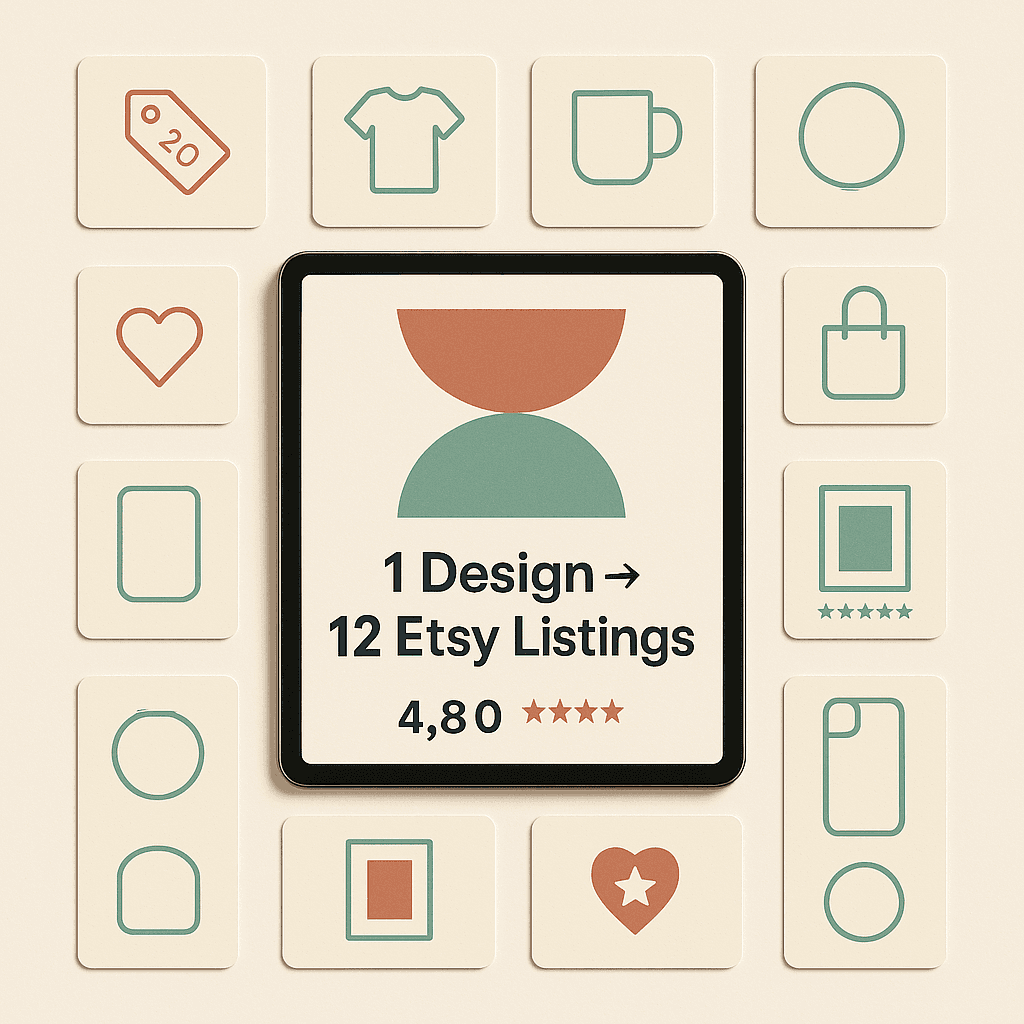
That’s what this post is. A practical way to turn 1 design into 12 Etsy listings, without feeling scammy, and without spending all weekend doing the boring parts.
The core idea (and why it works on Etsy)
Etsy search is basically a match game.
Buyers type something specific, usually messy and human, like:
- “funny dog mom shirt”
- “teacher sweatshirt cozy”
- “minimalist kitchen print”
- “gift for new dad onesie”
Your job is to have a listing that matches that intent, and uses the words people actually type.
So when you take one design and repackage it into multiple listings, you’re really doing two things:
- You’re targeting more keywords without needing 12 separate creative ideas.
- You’re giving buyers more “entry points” into your shop.
And also, not talked about enough, you’re learning faster. You get more data back from Etsy. You can see what titles, product types, and angles move.
Before you multiply anything, pick the right “base” design
Not every design deserves to be multiplied.
A good base design usually has:
- A clear audience (teacher, nurse, new mom, gamer, etc)
- A clear occasion (birthday, Halloween, graduation, new baby)
- A clear vibe (cute, minimalist, funny, sarcastic, retro)
- Simple layout that can live on different products (shirt, mug, sticker, wall art)
If your design only makes sense on one product, it’s still possible, but it’s harder.
If you’re unsure, pick something that works on apparel and at least one non apparel item, like mugs or stickers.
Quick checklist (use this, it saves time)
Ask:
- Can this design be worn?
- Can it be gifted?
- Can it be used at home (mug, sign, print)?
- Can it be scaled down (sticker) and still readable?
If you get at least three yes answers, you’re good.
The 4 levers that create “real” variation
When people hear “turn 1 design into 12 listings” they think it means making 12 duplicates.
No. You create variation by pulling levers that buyers actually care about:
- Product type (shirt vs sweatshirt vs mug)
- Audience or recipient (mom vs dad vs grandma, or teacher vs principal)
- Occasion (gift, holiday, season, milestone)
- Style angle (minimalist vs retro vs cute, even if the core idea stays the same)
You don’t need all four. You just need enough separation that each listing has its own purpose in search.
A concrete example (so this isn’t vague)
Let’s say your design is a simple phrase:
“Stay Cozy” in a clean script font with a little doodle.
That’s the base design. One file.
Now you can turn it into listings like:
- “Stay Cozy” t-shirt
- “Stay Cozy” crewneck sweatshirt
- “Stay Cozy” hoodie
- “Stay Cozy” mug
- “Stay Cozy” sticker
- “Stay Cozy” beanie
- “Stay Cozy” pillow
- “Stay Cozy” wall art print
That’s already 8. But we can do better, because that’s still kind of generic.
Now apply an audience angle:
- “Stay Cozy, Mama”
- “Stay Cozy, Teacher”
- “Stay Cozy, Book Lover”
- “Stay Cozy, Dog Mom”
Now we’re past 12, and each one can be its own listing because it targets different searches.
Important note though: don’t force it. If the audience angle doesn’t make sense, skip it.
The 12 listing framework (copy this)
Here’s a simple structure that works for most POD shops. You’re building a mini collection off one design.
1) T-shirt listing
Your bread and butter.
Focus keywords: “shirt”, “tshirt”, “tee”, “gift for…”
2) Sweatshirt listing
Sweatshirts often convert well in fall and winter, and also for gift buyers.
Focus keywords: “crewneck”, “sweatshirt”, “pullover”
3) Hoodie listing
Similar but different intent. People search “hoodie” specifically.
Focus keywords: “hoodie”, “hooded”, “unisex hoodie”
4) Long sleeve shirt listing
Low effort variation, and buyers do search for “long sleeve”.
Focus keywords: “long sleeve tee”, “long sleeve shirt”
5) Tank top listing (or crop top, depending on your niche)
If your brand vibe fits it. Great for summer, gyms, bachelorette, etc.
Focus keywords: “tank”, “workout”, “summer top”
6) Mug listing
Mugs are evergreen gifts. Also easier to buy as an impulse item.
Focus keywords: “mug”, “coffee cup”, “gift for coworker”, “office mug”
7) Sticker listing
Cheap, easy, lots of volume potential. Great for laptops, water bottles.
Focus keywords: “sticker”, “vinyl sticker”, “water bottle sticker”
8) Tote bag listing
Totes are big on Etsy. Teacher tote, book tote, market bag. Tons of intent.
Focus keywords: “tote”, “canvas bag”, “gift bag”, “shopping bag”
9) Poster / wall art listing
If your design fits. Minimal text stuff works well here.
Focus keywords: “wall art”, “poster”, “print”, “home decor”
10) Phone case listing (optional, depends on your fulfillment)
Works best for trendy niches and aesthetics. Not for everything.
Focus keywords: “phone case”, “iPhone case”, “Samsung case”
11) “Gift for…” recipient specific listing
Same design, but framed for a recipient. Example: “Gift for Teacher”.
Focus keywords: “gift for teacher”, “teacher appreciation”, “end of year teacher gift”
12) Seasonal or occasion listing
Same design, same product type, but now you’re targeting an event.
Focus keywords: “Christmas gift”, “Mother’s Day”, “birthday gift”, “graduation”
That’s 12.
And yes, you can swap products based on what you sell. The point is the system, not the exact items.
What to change (and what not to change)
Change these
- Title keywords
- First 1 to 2 lines of your description
- Mockups (at least the main image)
- Tags and attributes (obviously)
- Occasion framing (gift, holiday, etc)
- Sometimes color options, depending on the audience
Do not change these
- The actual design file (unless you’re doing an audience remix like “Mama” vs “Teacher”)
- Your shop policies
- Your production notes and personalization fields (keep it consistent)
- Your pricing logic (don’t randomly price things just to be different)
The fastest way to produce 12 listings without losing your mind
If you do this manually inside Etsy, it’s… a lot.
Copy listing, tweak title, rewrite description, pick tags, make mockups, check for trademark issues, publish draft. Repeat 12 times.
This is where a platform like NinjaSell fits in pretty naturally.
You upload your design once, then it helps generate Etsy ready listings, optimized titles and tags, descriptions based on real Etsy trend and bestseller data, plus Etsy style mockups, and it can push them to Etsy as drafts.
Also, the trademark check against USPTO data is nice because that’s one of those things you forget until you get a scary email.
Here’s what the flow looks like in real life:
- Upload your design
- Choose products you want (shirt, hoodie, mug, etc)
- Generate listings (SEO, tags, descriptions, titles)
- Publish to Etsy as drafts
- Review, tweak, and go live
You can sign up free at https://ninjasell.com and basically use it as your “multiplier” tool when you’re building a collection.
Images you should include (and what they should show)
If your listings look the same, Etsy shoppers glaze over. So even if you keep the design, your images have to do some work.
Here are the images I’d include per listing, minimum.
Image set blueprint
- Main mockup (clear, zoomed, design readable)
- Alternate mockup (different angle or lifestyle)
- Closeup (texture, print area)
- Size chart (for apparel)
- Color options (swatch style)
- “Gift” image (simple: “Great gift for teachers”)
- Shipping or production info (clean icons)
And yes, it feels like a lot. But once you have templates, it’s not bad.
You can reuse the layout, just swap the product photo.
Suggested images to place in this blog post
Add these throughout your post (helps readers and breaks up text):
If you don’t have these exact files, swap the links for your own screenshots. But keep the idea.
How to write 12 different titles (without keyword soup)
You want titles that are:
- readable
- specific
- keyword rich without looking insane
A simple formula:
Primary keyword + audience + product + occasion + secondary keyword
Example for a teacher sweatshirt:
“Stay Cozy Teacher Sweatshirt, Cute Crewneck Pullover, Teacher Appreciation Gift, Winter Classroom Outfit”
Then for a mug version:
“Stay Cozy Teacher Mug, Funny Coffee Cup Gift for Teacher, Teacher Appreciation Present, Cozy Classroom Mug”
Same design. Different search intent.
And you’re not repeating the same title 12 times with the word “shirt” swapped.
Tags: don’t clone them, remix them
Etsy gives you 13 tags.
If you copy the same 13 tags across all 12 listings, you’re missing the point.
You want a base set of maybe 5 to 7 tags that always apply, then rotate the rest depending on:
- product type
- recipient
- occasion
- style
Example tag buckets
Base tags (keep across most):
- cozy
- minimalist design
- cute saying
- gift idea
- simple aesthetic
Product tags (swap):
- teacher sweatshirt
- teacher mug
- vinyl sticker
- canvas tote bag
- unisex hoodie
Occasion tags (swap):
- christmas gift
- teacher appreciation
- back to school
- birthday gift
If you use NinjaSell, this part is much less painful because it generates tags using trend and bestseller data. You still review them, but you’re not starting from scratch 12 times.
Descriptions: keep the skeleton, change the hook
Descriptions are where people either overwork or totally ignore it.
Here’s the move:
- Keep 80 percent the same (materials, sizes, care, shipping)
- Change the first 2 lines so it matches the listing’s intent
So your hoodie description starts with hoodie benefits. Your mug description starts with gift vibe or mug specs.
Example hoodie hook
“Soft, warm, and actually cozy. This unisex hoodie is made for cold mornings, book days, and living in your favorite layer.”
Example mug hook
“A daily coffee mug that feels like a small hug. Great gift for teachers, coworkers, or anyone who runs on caffeine.”
Same back half. Different front.
One design, multiple audiences (the clean way)
This is the part that can feel spammy if you do it wrong.
Here’s the clean version:
You keep the base design, but you swap one word that changes the recipient.
Examples:
- Mama
- Dad
- Grandma
- Teacher
- Nurse
- Book Lover
- Cat Mom
- Dog Dad
You are not changing the entire concept. You’re personalizing the “who it’s for”.
If you do 4 audience versions and put them on 3 product types, you’re already at 12.
Like:
- Teacher tee, teacher mug, teacher tote (3)
- Mama tee, mama mug, mama tote (6)
- Nurse tee, nurse mug, nurse tote (9)
- Book lover tee, book lover mug, book lover tote (12)
That is a legit collection. And buyers like collections. It makes your shop feel real.
Don’t forget trademark checks (seriously)
If your design uses phrases that touch pop culture, brands, sports teams, or viral sayings, do a trademark check.
A lot of sellers skip this and then wonder why listings get removed.
NinjaSell includes trademark checks against USPTO data, which is handy as a built in step. Still, you should use common sense too. If it feels risky, it probably is.
After you publish: how to keep the 12 listings from going stale
This part matters. Because making 12 listings once is good, but keeping them alive is where shops grow.
Do this:
- Watch which 2 to 3 listings get impressions but no clicks
- Update the main image
- Update the first chunk of the title
- Refresh tags based on what’s trending now
NinjaSell has a feature called ReSpark that’s basically designed for this. It refreshes underperforming listings with updated trend based keywords. That is exactly the kind of maintenance most sellers say they’ll do, then never do.
Also, pushing products to Pinterest helps. Etsy loves offsite traffic, and Pinterest is slow but steady when it works. NinjaSell can auto post products to Pinterest too, which is one of those set it once, benefit later things.
A quick 12 listing plan you can do this week
If you want something super concrete, here’s a simple weekly plan.
Day 1: Pick base design, pick 3 products
Day 2: Create 4 audience variants (just change the recipient word)
Day 3: Generate 12 listings as drafts (3 products x 4 audiences)
Day 4: Review titles, swap 3 to 5 tags each, adjust first 2 lines of descriptions
Day 5: Publish, then share 3 of them to Pinterest
If you use an automation tool, Day 3 and Day 4 shrink a lot. That’s kind of the point.
Wrap up (the honest takeaway)
Turning 1 design into 12 Etsy listings isn’t a hack. It’s just good merchandising.
You’re building a small collection around a concept, using product types and buyer intent to create real variation. More chances to show up. More chances to learn. More chances to sell.
If you want to do it the manual way, you can. Etsy lets you. It just takes time.
If you’d rather move faster, upload your design once and let a tool generate optimized drafts with titles, tags, descriptions, mockups, and even trademark checks, that’s exactly what NinjaSell is built for. It’s free to sign up at https://ninjasell.com, no subscription, you pay base costs and shipping when orders come in.
Make one good design. Multiply it with intent. Then let your shop actually breathe a little.
FAQs (Frequently Asked Questions)
Why do many Etsy sellers struggle with creating multiple designs for different products and audiences?
Many Etsy sellers try to create 50 unique designs for 50 different products and audiences, which often leads to burnout or a shop full of listings that don’t perform well. This approach is inefficient and can overwhelm both the seller and potential buyers.
What is the easier and more effective way to create multiple Etsy listings from one design?
The easier way is to make one solid base design and then multiply it intentionally by creating a small product family. This means adapting the design across various products and target audiences without simply duplicating or making minimal changes, resulting in listings that look natural, target different keywords, and improve search visibility.
How does repackaging one design into multiple listings improve Etsy search performance?
Etsy search works as a match game where buyers enter specific, often casual phrases. By repackaging one design into multiple listings, you target more keywords relevant to different buyer intents and provide more entry points into your shop. This strategy also helps you gather valuable data on what titles, product types, and angles perform best.
What criteria should I use to choose the right base design for multiplying into multiple listings?
A good base design typically has a clear audience (like teachers or new moms), a clear occasion (such as birthdays or holidays), a distinct vibe (cute, minimalist, funny), and a simple layout that works well on various products like shirts, mugs, stickers, or wall art. Using a quick checklist—can it be worn, gifted, used at home, or scaled down while remaining readable—helps determine suitability.
What are the four key levers to create meaningful variation when turning one design into multiple Etsy listings?
The four levers are: 1) Product type (e.g., shirt vs. mug), 2) Audience or recipient (e.g., mom vs. dad), 3) Occasion (e.g., holiday or milestone), and 4) Style angle (e.g., minimalist vs. retro). Using these variations ensures each listing targets different buyer searches without feeling repetitive or spammy.
Can you provide an example of how to apply this strategy using a single design?
For example, take the phrase “Stay Cozy” in a clean script font as your base design. You can create listings for various products like t-shirts, sweatshirts, hoodies, mugs, stickers, beanies, pillows, and wall art prints. Then add audience-specific versions such as “Stay Cozy Mama,” “Stay Cozy Teacher,” or “Stay Cozy Dog Mom.” This approach creates over 12 unique listings targeting diverse searches effectively.