If your Etsy shop feels like it is stuck. Like you list stuff, it looks good, you even get a few favorites, but the sales are… random. Or slow. Or only coming from your own Instagram friends.
That is usually an SEO problem. Not always. But usually.
And the annoying part is this: Etsy SEO is not some big mysterious thing. It is mostly just a bunch of small, fixable misses that compound.
So here is a quick, practical Etsy shop SEO audit you can do in about 20 minutes. Set a timer if you want. I will give you a path to follow, what to look for, what “good” looks like, and what to fix first.
Also, this is written with print on demand sellers in mind, because that is where SEO mistakes are… kind of brutal. Everyone is using the same generic keywords.
What you need before you start (2 minutes)
Open these in separate tabs:
- Your Etsy shop home page (public view)
- Etsy Shop Manager
- 3 of your listings
One best seller (or most viewed)
One average
One underperformer - Your notes app or a Google Doc for quick fixes
Optional but helpful:
- Etsy search bar (for autosuggest)
- A keyword helper tool (if you use one)
If you are a POD seller and you want a shortcut for keyword and listing generation later, keep NinjaSell bookmarked. It is basically built for this workflow. You upload a design, it generates Etsy-ready titles, tags, descriptions, plus mockups, and can publish to Etsy as drafts. It also checks trademarks. More on that later.
The 20-minute Etsy SEO audit (the exact walkthrough)
Minute 0 to 2: Quick reality check. What are you actually selling?
Sounds obvious, but Etsy SEO gets messy when your shop is trying to be 4 different shops.
Look at your shop and answer in one sentence:
- “I sell ____ for ____ (audience) for ____ (occasion/style).”
Examples:
- “I sell retro hiking graphic tees for outdoorsy women.”
- “I sell minimalist wedding signs for modern couples.”
- “I sell funny teacher mugs for end of year gifts.”
If you cannot write that sentence, your SEO will always feel unstable because Etsy cannot confidently place you in a category or audience cluster.
Fix (fast): pick the main “lane” for now. You can branch out later.
Minute 2 to 4: Shop title and announcement audit
Etsy uses shop-level signals too. Not as heavily as listings, but it still matters.
Check:
1) Shop title
This shows under your shop name in many places.
Bad shop title:
- “Cute gifts and more”
- “Handmade by Sarah”
- “Trendy tees, mugs, decor, stickers”
Better:
- “Funny Teacher Shirts and Classroom Gifts”
- “Minimalist Wedding Signs and Printable Decor”
- “Retro Hiking Shirts, Outdoorsy Tees, Nature Gifts”
You want clear keywords, not vibes.
2) Shop announcement
This is not a ranking factor in a direct, magical way. But it affects conversion, and conversion affects ranking.
Quick checklist:
- Say what you sell
- Say shipping/processing expectations
- Say why your stuff is different (1 line)
If you are POD, mention:
- printed in the US (if true)
- typical production time
- returns/exchanges policy in plain English
Minute 4 to 8: Listing title audit (this is where most shops bleed SEO)
Open the 3 listings you picked. We are going to check titles the same way Etsy does, basically.
What Etsy wants from a title
Etsy matches a shopper’s query to words in your:
- title
- tags
- categories and attributes
- description (lighter)
- listing performance signals (clicks, favorites, purchases)
So, your title needs to contain phrases people actually type.
Quick title scoring (do this for each listing)
Give yourself 1 point each:
- Primary keyword appears in the first 40 characters
- Title is readable by a human (not a keyword dump)
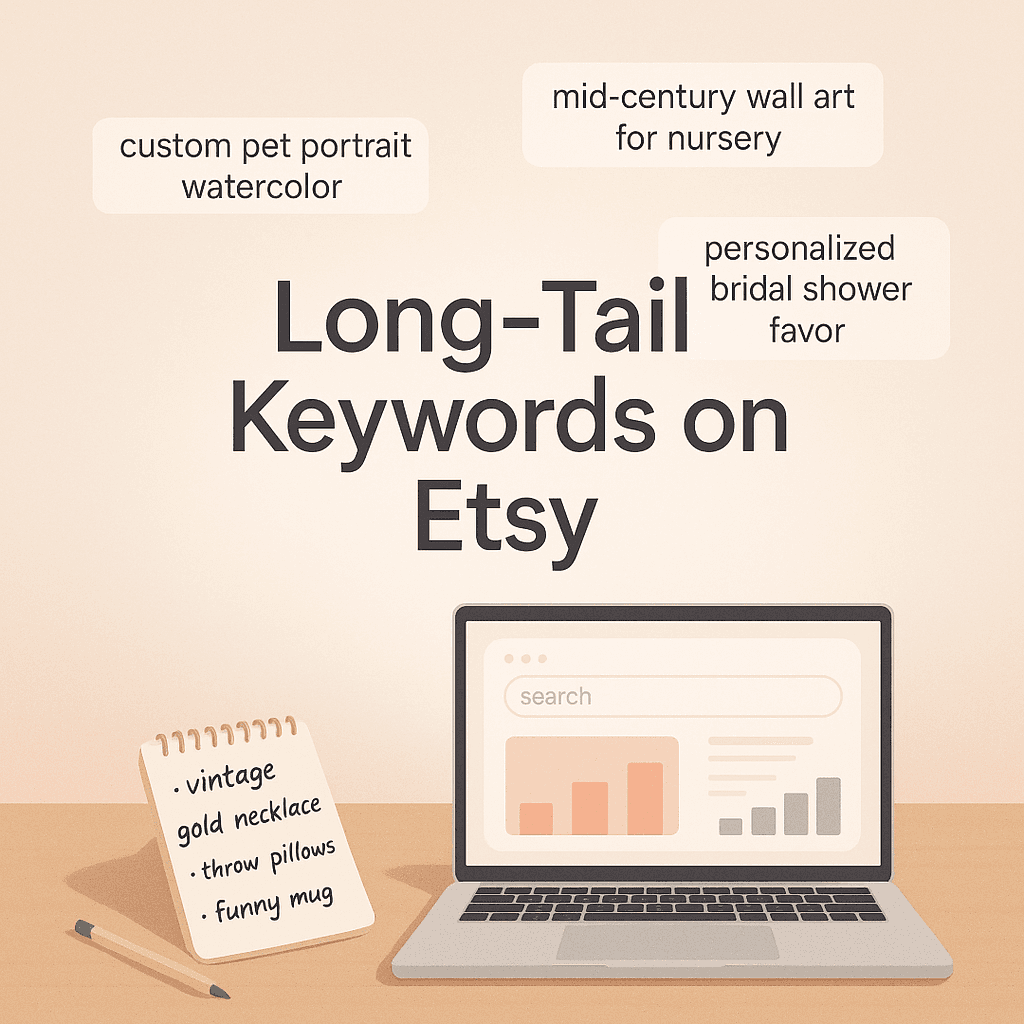
- Includes at least one long-tail phrase (3 to 5 words)
- Mentions who it is for or the occasion
- Avoids repetition like “shirt shirt tshirt tee”
A “good enough” title is usually 4/5.
A simple Etsy title format that works
Try this structure:
Primary keyword + modifier | Audience/occasion | Secondary keyword / gift intent
Example for POD:
- “Funny Teacher Shirt, End of Year Gift for Teachers, Classroom Tee, 1st Grade Teacher”
Not perfect, but it is readable and covers intent.
Common POD title mistake
If your title starts like:
- “Bella Canvas 3001”
- “Unisex Softstyle”
- “Comfort Colors 1717”
That is wasted prime real estate. Shoppers do not search that.
Move blanks like that to the description.
You might also find it helpful to explore other resources on understanding and learning titles and tags. This could provide further insights into optimizing your listing titles and tags effectively.
Minute 8 to 11: Tags audit (the boring part that matters a lot)
Etsy gives you 13 tags. Use them. All of them.
For each listing, check:
1) Do you have 13 tags?
If not, fix that immediately. That is free coverage.
2) Are you repeating the same root word too much?
Example:
- teacher shirt
- teacher tee
- teacher tshirt
- teacher top
That is not 4 different searches in reality. It is basically one.
You want variety in intent:
Better mix:
- teacher appreciation
- end of year gift
- first grade teacher
- kindergarten teacher
- funny teacher quote
- gift for teacher
- classroom outfit
- teacher life
3) Are you using multi-word tags?
Yes, you should. Etsy matches phrases across tags, but multi-word tags still help target specific searches.
4) Do your tags match your title?
They should overlap in topic, not be random.
If you are struggling to build tags quickly at scale, this is where tools help. NinjaSell, for example, generates tags based on Etsy bestseller and trend data, so you are not guessing 13 tags every time.
Minute 11 to 13: Category and attributes audit (quiet ranking power)
This part is sneaky. A lot of sellers ignore it.
In your listing edit screen, check:
- Category is specific (not “Clothing” when it can be “Women’s Graphic Tees” etc.)
- Attributes are filled
color, occasion, sleeve length, holiday, recipient, style, etc.
Why it matters: Etsy uses attributes like built-in tags. They also help you show up in filtered search.
If you sell a “teacher shirt” but you did not set:
- occasion: Teacher Appreciation
- holiday: Back to School (if relevant)
- recipient: teacher
You are leaving traffic on the table.
Minute 13 to 15: First photo and mockups audit (SEO meets conversion)
Photos are not “SEO” in the keyword sense. But clicks and conversion absolutely affect ranking. So yes, photos are part of your SEO audit.
Check the first image on your underperformer listing. It’s crucial that your product photography is effective, as it plays a significant role in attracting clicks and conversions. For more insights, refer to this guide on effective product photography.
Ask:
- Can I understand what it is in 1 second?
- Is the text readable on mobile?
- Does it look like Etsy, or does it look like a generic POD catalog?
If your mockup looks like every other seller, you blend in.
Quick fix ideas:
- Add a lifestyle mockup as image 1 (still clear)
- Use a plain, bright background
- Zoom in more than you think
- If it is a shirt with text, make the design bigger in the mockup
If you do not have time to constantly design mockups, automation helps. NinjaSell generates Etsy-style mockups designed for POD listings, which at least gets you to “competent” fast.
Minute 15 to 17: Description audit (don’t overthink it, but don’t ignore it)
Descriptions matter for:
- conversion
- shopper trust
- Etsy indexation (lightly)
- reducing refunds and messages
A good POD description is not poetry. It is a clear product page. For effective strategies on crafting product descriptions, consider this resource on product descriptions.
Check for:
1) The first 2 lines
These show up before “more” on mobile. Make them count.
Include:
- what it is
- who it is for
- why they will like it
Example: “Funny teacher shirt for end of year gifts and teacher appreciation week. Soft unisex fit, great for classroom days and casual weekends.”
2) Basic specs
- material
- fit
- sizing info
- care instructions
3) Processing and shipping expectations
Be very clear. POD delays are real.
4) Gift intent line
People buy gifts on Etsy constantly. Make it easy. “Gift ready for teacher appreciation, back to school, end of year, or birthday gifts.”
Minute 17 to 18: Pricing, shipping, and conversion blockers (quick scan)
This is the part people skip because it feels unrelated. But if your listing does not convert, it slowly loses ground.
Look for:
- Shipping cost shock (high shipping can kill conversion)
- Delivery estimate is too slow compared to competitors
- No size chart image for apparel
- Variations confusing or messy
- Personalization box required when it should be optional
Just note the biggest blocker. Fix one today.
Minute 18 to 19: Trademark landmines check (POD sellers, please do this)
If you are using trending phrases, you can accidentally step on a trademark.
Even if you “didn’t know”. Etsy does not care.
Do a quick scan:
- title keywords
- tags
- design text
If anything looks like a brand slogan, celebrity name, sports team, or a meme phrase that could be owned, pause and check.
If you want to speed this up, NinjaSell has built-in trademark checks against USPTO data. Not legal advice, but it is way better than guessing.
Minute 19 to 20: Pick the one change that will move the needle
Do not leave this audit with a list of 27 fixes you never do.
Pick one:
- rewrite your underperformer title
- replace the first photo
- add missing attributes
- rebuild your 13 tags
One listing, one improvement, right now.
Then repeat tomorrow for another listing.
That is how shops climb.
What “good” looks like after the audit (quick benchmark)
For a typical POD shop, after you clean things up:
- Titles look readable, and keyword focused
- Tags cover different intents, not synonyms
- Categories and attributes are filled and specific
- First image is clear and scroll stopping
- Description answers questions before they are asked
- You are not risking trademark issues
If you have 30 listings and you improve just 1 per day, in a month your shop is a different shop.
A simple SEO refresh routine (weekly, not stressful)
Here is a routine that does not melt your brain:
Once a week (30 minutes)
- Find 3 listings with low views
- Update titles and tags based on current search behavior
- Refresh the first image if needed
If you want to automate parts of that, NinjaSell has a feature called ReSpark that refreshes underperforming listings using updated trend-based keywords. You still review it, obviously. But it saves time.
Images you can add to this post (drop these into WordPress)
Use these throughout the article as you format it on your site.
1) Etsy search bar autosuggest example

2) Quick checklist style image for “audit”

3) Product photography mockup vibe

4) Analytics vibe image

Tiny FAQ (because you will ask anyway)
How long does it take Etsy to react to SEO changes?
Usually a few days to a few weeks. You might see small movement sooner, but don’t panic refresh every hour.
Should I change all my listings at once?
No. Change a few, watch performance. Massive edits can scramble what is currently working.
Do I need a tool for this?
Not required. But if you are building a lot of POD listings, tools can cut the busywork. If you want to go faster, NinjaSell (https://ninjasell.com) is built for Etsy POD sellers. It generates optimized listings using trend and bestseller data, creates mockups, checks trademarks, and can publish drafts to Etsy in one click. No subscription. You pay when orders happen.
Wrap up (what to do next)
Set a timer for 20 minutes and do the audit on one listing right now. Not your whole shop. Just one.
If you do that consistently, Etsy starts to trust you. Shoppers start to click. And your “random” sales turn into predictable ones.
And if you are tired of writing titles and tags from scratch every time, go take a look at NinjaSell. Even if you only use it to generate drafts you later tweak, it can save you hours.
FAQs (Frequently Asked Questions)
Why does my Etsy shop feel stuck despite having good-looking listings and some favorites?
If your Etsy shop feels stuck with slow or random sales, often only from your own Instagram friends, it is usually an SEO problem. Etsy SEO issues are commonly due to small, fixable mistakes that compound over time, especially in print on demand shops where generic keywords are widely used.
What should I prepare before starting an Etsy SEO audit?
Before starting your Etsy SEO audit, open these tabs: your Etsy shop homepage (public view), Etsy Shop Manager, and three of your listings (best seller, average, underperformer). Also have a notes app or Google Doc ready for quick fixes. Optional tools include the Etsy search bar for autosuggest and a keyword helper tool like NinjaSell for print on demand sellers.
How do I clarify what I am selling to improve my Etsy SEO?
Perform a quick reality check by answering in one sentence: ‘I sell ___ for ___ (audience) for ___ (occasion/style).’ For example, ‘I sell retro hiking graphic tees for outdoorsy women.’ If you can’t write this clearly, your SEO will feel unstable because Etsy can’t place you confidently in a category or audience cluster. Fix this by picking your main shop focus first.
What makes a good Etsy shop title and announcement for SEO?
A good shop title uses clear keywords rather than vague phrases like ‘Cute gifts and more.’ Examples include ‘Funny Teacher Shirts and Classroom Gifts’ or ‘Minimalist Wedding Signs and Printable Decor.’ Your shop announcement should state what you sell, shipping/processing expectations, why your products are different, and for POD sellers mention production location, typical production time, and return policies plainly.
How can I audit and improve my listing titles effectively?
Check if your primary keyword appears within the first 40 characters of the title, ensure it’s readable (not keyword stuffing), includes at least one long-tail phrase (3-5 words), mentions who it’s for or the occasion, and avoids repetition. A good title scores 4 out of 5 on these points. Use a simple format like: Primary keyword + modifier | Audience/occasion | Secondary keyword/gift intent. Avoid starting titles with blank product names like ‘Bella Canvas 3001’ as shoppers don’t search those terms.
Why is using all 13 tags important in my Etsy listings?
Etsy allows up to 13 tags per listing; using all of them is crucial because tags help match your products to shopper queries. Although tagging can be tedious, fully utilizing all tag slots increases the chances of your items being found in relevant searches and improves overall SEO performance.