
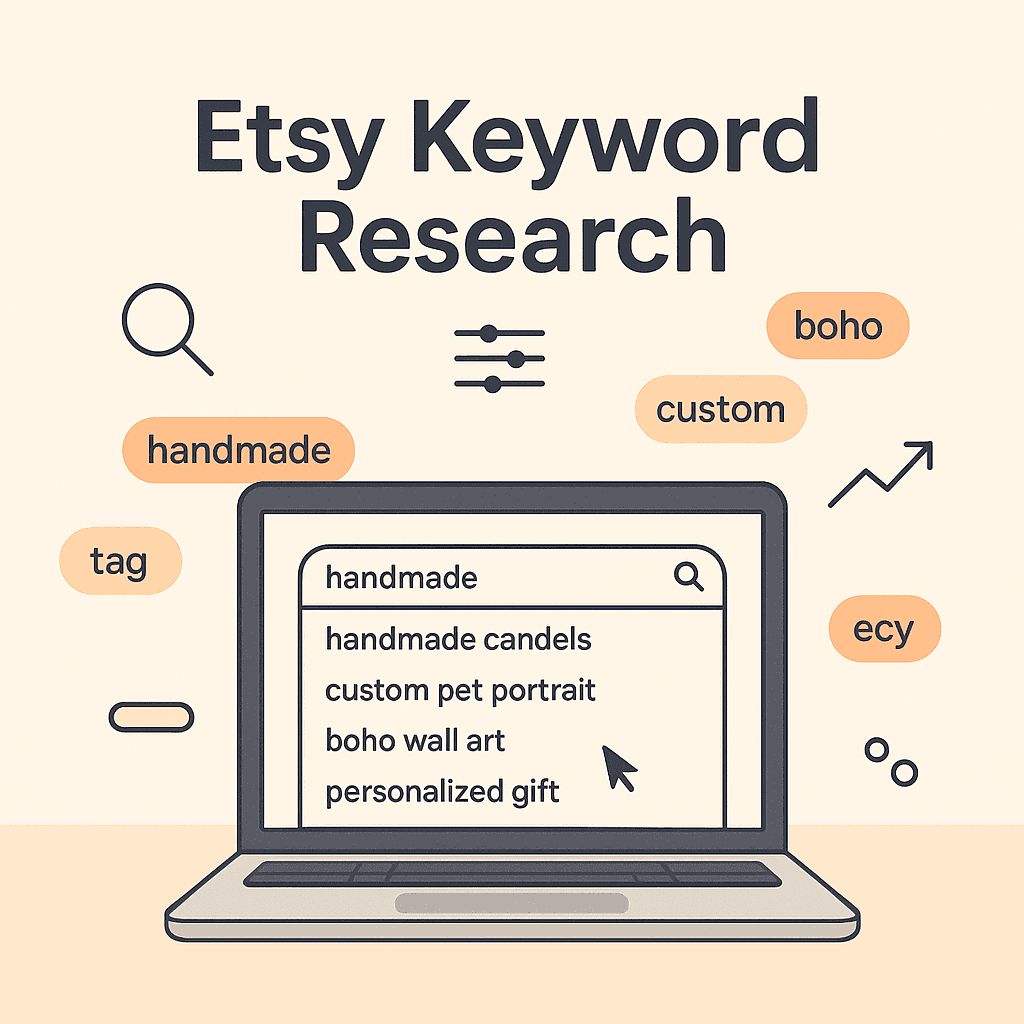
Most Etsy SEO advice starts with, go pay for a keyword tool.
Which is fine. I use tools too.
But if you are just starting out. Or you are trying to validate a new print on demand niche fast. Or you just want keywords that are actually typed by real buyers on Etsy right now. The Etsy search bar is… weirdly enough. One of the best places to start.
Because Etsy literally tells you what people are searching.
Not in a neat spreadsheet. Not with perfectly accurate search volume numbers. But with the stuff that matters most for a new listing.
The exact phrases. The order of words. The intent behind them.
So here’s a practical way to do Etsy keyword research using only Etsy search bar. No extensions. No paid tools. Just your brain, a notes app, and a little patience.
And yes, this works really well for POD listings too.
Quick mindset shift before you start
You are not hunting for “high volume keywords”.
You are hunting for buyer phrasing.
The way people actually type things on Etsy is often different than how sellers describe products.
A customer types:
- “custom dog sweatshirt”
- “teacher shirt first grade”
- “matching family christmas pajamas”
A seller types:
- “personalized canine themed apparel”
- “educator garment”
- “holiday set”
You already see the problem.
Etsy search bar suggestions cut through that. They give you raw buyer language. Which is what Etsy’s algorithm is built around in the first place.
What you need (keep it simple)
- Incognito or private browser window (helps reduce personalization a bit)
- A notes doc or spreadsheet
- Etsy.com open on desktop (mobile works but desktop is faster)
Optional but helpful:
- A second tab for your product category (so you can sanity check what’s ranking)
- A running “seed keyword” list
Step 1: Start with a seed keyword that describes the product plainly
Pick something boring. Literally.
If you sell POD:
- shirt
- sweatshirt
- hoodie
- mug
- tote bag
- sticker
Then add the theme:
- teacher
- nurse
- mom
- dog
- western
- gothic
- pickleball
- bookish
- bridal
So your seed becomes:
- “teacher shirt”
- “bookish sweatshirt”
- “dog mom mug”
- “western hoodie”
Don’t overthink. You just need a starting point.
Step 2: Type it into Etsy search bar and do not hit Enter yet
This is the entire trick.
When you type “teacher shirt” and pause, Etsy will drop down suggestions. Those suggestions are based on real searches.
You want to capture them.
What to record
Copy the suggestions exactly as shown. Word order matters.
Example suggestions might look like:
- teacher shirt first grade
- teacher shirt kindergarten
- teacher shirt funny
- teacher shirt personalized
- teacher shirt comfort colors
Even without tools, this is already gold. Because now you know:
- what grades are popular
- what style words keep coming up
- what “type” of buyer is searching
Add these to your notes under the seed keyword.
Image idea: Screenshot of Etsy search bar showing autocomplete suggestions for “teacher shirt”.
Replace with your own screenshot when publishing.
Step 3: Use the “A to Z” expansion method (the lazy powerhouse)
Now you take the same seed keyword and force Etsy to reveal more long tails.
Type:
- teacher shirt a
- teacher shirt b
- teacher shirt c
Yes it feels silly. Do it anyway.
You will get weird gems like:
- teacher shirt alphabet
- teacher shirt appreciation
- teacher shirt aesthetic
- teacher shirt back to school
Keep going through the alphabet until suggestions start repeating or turning irrelevant.
Fast version
Do vowels first:
- teacher shirt a
- teacher shirt e
- teacher shirt i
- teacher shirt o
- teacher shirt u
Then hit the most common letters: s, p, m, c, t.
This pulls out long tail keywords that are usually easier to rank for, especially for new shops or new listings.
Step 4: Flip the phrase around (because Etsy buyers do)
Now reverse the structure.
Instead of “teacher shirt”, try:
- “shirt teacher”
- “tee teacher”
- “teacher tee”
- “teacher t shirt”
- “teacher tshirt”
Why?
Because Etsy buyers type all sorts of variations, and Etsy autocomplete will show you what’s common.
Sometimes “teacher tee” surfaces different suggestions than “teacher shirt”. It should not. But it does.
Record any unique ones.
Step 5: Add intent modifiers (this is where you find buyers with wallets)
People rarely search for “hoodie”.
They search for the reason they want a hoodie.
So add modifiers at the end of your seed:
- funny
- vintage
- retro
- cute
- minimalist
- aesthetic
- personalized
- custom
- embroidered (even if you do print, it can still be a style intent)
- comfort colors
- gift
- for women
- for men
Example:
- “bookish sweatshirt gift”
- “bookish sweatshirt comfort colors”
- “bookish sweatshirt vintage”
- “bookish sweatshirt embroidered”
Each one will trigger new autocomplete phrases.
And you will start seeing patterns. Like “comfort colors” showing up constantly for tees, or “embroidered” dominating sweatshirts in some niches.
That’s not random. That’s demand.
Image idea: Simple graphic showing “seed keyword + modifier” examples.
Step 6: Use “for” and “gift for” to uncover recipient based keywords
This one is big for POD because most POD purchases on Etsy are gifts.
Try:
- “teacher shirt for”
- “teacher shirt for mom”
- “teacher shirt for women”
- “teacher shirt gift”
- “teacher shirt gift for”
Or in other niches:
- “dog mom mug gift for”
- “nurse sweatshirt gift”
- “grandma shirt gift for”
Etsy autocomplete will often reveal very specific recipient phrases:
- “gift for new teacher”
- “gift for teacher appreciation”
- “gift for first year teacher”
Those phrases are basically listing copy ready.
Step 7: Click into the search results and validate what Etsy thinks the keyword means
Autocomplete gives you phrases. But you still need to check intent.
So now, for your best phrases, hit Enter and look at page one.
Ask:
- Are the top results the same product type I sell? (shirt vs svg vs printable)
- Are the top results POD friendly styles? (graphic tees, text based designs, etc)
- Are the results dominated by one big shop with 50k reviews? (harder)
- Do I see variety? (better for new sellers)
Watch for keyword traps
Example: You type “teacher shirt svg”.
Autocomplete shows it because people search it. But the results might be mostly digital files. If you sell a physical shirt, you probably don’t want to target that phrase.
So label keywords in your notes like:
- Physical product intent
- Digital intent
- Mixed intent
Step 8: Build mini keyword clusters (instead of one keyword)
Etsy does not want you to spam the same phrase 13 times.
It wants related phrases.
So after 20 to 40 minutes of search bar mining, you will naturally have clusters like:
Cluster example: Teacher shirt
- teacher shirt kindergarten
- kindergarten teacher shirt
- teacher shirt first grade
- teacher shirt funny
- teacher shirt comfort colors
- teacher shirt back to school
- teacher appreciation shirt
This is a usable cluster.
Now you can create:
- a title that includes the primary phrase plus one or two strong modifiers
- tags that cover the rest of the cluster
- a description that naturally mentions the related terms
That is Etsy SEO, basically.
Step 9: Turn search bar findings into titles and tags (without overstuffing)
Here’s a simple structure that works well for POD.
Title template
Primary keyword + product type + top modifier + recipient or occasion + secondary long tail
Example:
Teacher Shirt, Funny Kindergarten Teacher Tee, Back to School Gift, Comfort Colors Graphic T Shirt
Not perfect. A little chunky. But it hits real buyer phrases.
Tag approach (simple)
- 3 to 5 tags = exact match phrases from autocomplete
- 3 to 5 tags = close variations (word order flips)
- 3 to 5 tags = broader category terms
Example tags:
- teacher shirt
- kindergarten teacher
- funny teacher tee
- teacher appreciation
- back to school shirt
- comfort colors tee
- first grade teacher
- teacher gift
- teacher t shirt
- cute teacher shirt
- elementary teacher
- teacher life
You can refine later. The goal is coverage without nonsense.
Step 10: Do the “competitor echo” move (still only using Etsy)
This is still search bar only. But you are going to let competitors show you extra language.
Pick one listing that is clearly ranking on page one for your phrase. Click it. Then scroll and look for:
- personalization fields (they reveal common buyer asks)
- variations (colors, sizes, styles)
- the way they phrase the first line of description
Now go back to the Etsy search bar and test the phrases you saw.
Example: You notice top listings say “teacher crewneck”.
Now test:
- “teacher crewneck”
- “teacher crewneck sweatshirt”
- “teacher crewneck comfort colors”
Sometimes “crewneck” pulls a totally different cluster than “sweatshirt”. Sometimes it is the better keyword.
Common mistakes when using Etsy search bar (so you don’t waste time)
1. Only writing down broad keywords
“Teacher shirt” is broad. You need the long tails: grade, occasion, style.
2. Ignoring product type mismatch
If “teacher svg” dominates, don’t force it into a shirt listing.
3. Assuming autocomplete equals easy ranking
Autocomplete means demand. Not low competition. Still, long tail phrases generally give you a fighting chance.
4. Not repeating this every few weeks
Etsy trends shift. Holidays, seasons, viral phrases. Autocomplete changes.
If you sell POD, you should treat this like a light weekly habit.
A simple 20 minute routine you can repeat every week
- Pick 2 product types (shirt, sweatshirt)
- Pick 2 themes (teacher, nurse)
- Mine autocomplete for 10 minutes
- Validate 5 phrases in search results
- Write 1 new listing title draft and 13 tags using the clusters
That’s it.
Do this consistently and you will build a keyword library that is actually based on buyer behavior.
Where NinjaSell fits in (when you want to move faster)
Doing this manually is great. It trains your instincts.
But once you have a few designs ready, the bottleneck becomes everything after keyword research. Writing titles. Filling all 13 tags. Writing a description that sounds human. Making mockups. Checking trademarks. Publishing.
This is where NinjaSell helps POD Etsy sellers speed up the whole process. You upload your design, and it generates Etsy ready listings using bestseller and trend data, creates Etsy style mockups, runs USPTO trademark checks, and lets you publish to Etsy as a draft in basically one flow.
If you want to keep doing search bar research yourself (totally valid) but stop spending an hour per listing on the setup. That’s the sweet spot.
You can check it out here: https://ninjasell.com
Image idea: Screenshot of NinjaSell listing generation dashboard or mockup builder.
Final notes (because Etsy SEO is not a one time thing)
Etsy keyword research is not about finding one magic keyword.
It is about building a map of how buyers talk. And then matching that language in your titles, tags, and listing content.
The Etsy search bar gives you that map for free. Every day. Updated constantly.
Start there.
Then when you are ready to scale, use automation where it actually saves time, not where it replaces your common sense.
FAQs (Frequently Asked Questions)
Why should I use the Etsy search bar for keyword research instead of paid tools?
The Etsy search bar reveals real phrases that buyers are typing right now, showing exact word order and buyer intent. Unlike paid tools with spreadsheets and volume numbers, Etsy’s autocomplete gives you raw buyer language that matters most for new listings and niches, especially if you’re just starting or validating a print on demand niche quickly.
What mindset shift do I need when doing Etsy keyword research?
Instead of hunting for ‘high volume keywords,’ focus on finding buyer phrasing—the way actual customers type their searches on Etsy. Buyers use simple, straightforward terms like ‘custom dog sweatshirt’ while sellers might overcomplicate with terms like ‘personalized canine themed apparel.’ Capturing buyer language aligns you better with Etsy’s algorithm.
How do I start my keyword research using the Etsy search bar?
Begin with a plain seed keyword that describes your product simply, like ‘shirt,’ ‘hoodie,’ or ‘mug.’ Then add a theme relevant to your niche such as ‘teacher,’ ‘dog mom,’ or ‘bookish.’ For example, combine them into phrases like ‘teacher shirt’ or ‘dog mom mug’ to get started capturing autocomplete suggestions.
What is the A to Z expansion method in Etsy keyword research?
After entering your seed keyword into the Etsy search bar, add letters from A to Z after it (e.g., ‘teacher shirt a’, ‘teacher shirt b’) to force Etsy to reveal long-tail keyword suggestions. This method uncovers unique and specific buyer phrases that are often easier to rank for, especially useful for new shops or listings.
Why should I flip the phrase around when researching keywords on Etsy?
Buyers type variations differently; for instance, instead of just ‘teacher shirt,’ they might search ‘teacher tee’ or ‘tshirt teacher.’ Flipping the phrase helps you capture all common buyer variations because Etsy autocomplete may show different suggestions depending on the word order.
How can adding intent modifiers improve my Etsy keyword research?
Adding modifiers like ‘funny,’ ‘personalized,’ ‘gift,’ or ‘comfort colors’ after your seed keyword helps uncover buyer intent behind searches. For example, phrases like ‘bookish sweatshirt gift’ or ‘teacher shirt personalized’ reveal popular styles and demands. This strategy helps target buyers ready to purchase with specific preferences.
