You ever look at one of your Etsy listings and think… I don’t get it.
The mockup looks fine. The price is normal. The design is solid. You even did the tags. The title is long. You hit publish.
And then.
Nothing.
No favorites. No clicks. No sales. Just a quiet listing sitting there like it’s invisible.
Here’s the good news though. Most “zero sales” listings are not dead. They’re just not getting a fair shot. Etsy is not even sure what your product is, who it’s for, or when to show it.
So this post is the fastest way I know to fix that. No complicated rebrand. No redoing your whole shop. Just a clean, focused reset that usually gets movement in days, not months.
I’m going to assume you’re doing POD. Shirts, sweatshirts, mugs, totes, stickers, whatever. Same principles.
And yes, I’ll mention a tool or two. But you can do this manually too, if you’re patient.
First, the real reason your listing has zero sales
Zero sales usually means one of these is happening:
- You’re not getting impressions. Etsy isn’t showing you in search.
- You’re getting impressions but no clicks. Your thumbnail is not winning.
- You’re getting clicks but no purchases. Your offer looks risky or confusing.
That’s it. Three buckets.
Most sellers jump straight to “my design sucks” and start making new products. Honestly that’s the slowest move. Your design might be fine. The listing might just be messy in the places Etsy actually cares about.
So we’re going to run a quick triage.
Step 1: Check the one number that tells you what to fix (2 minutes)
Go to the listing stats and look at:
- Impressions
- Visits (clicks)
- Conversion rate
Here’s the cheat sheet:
- 0 to low impressions = keyword problem (SEO, indexing, relevance)
- Impressions but no visits = thumbnail problem
- Visits but no sales = price, shipping, photos, description, trust
Write down which one you have. Don’t skip this.
Because the fastest fix depends on which bucket you’re in.

Step 2: If you have low impressions, do this exact “Relevance Reset”
Low impressions means Etsy does not understand your listing well enough to rank it. Or it thinks your keywords are too broad. Or you’re competing with a million similar listings and you gave Etsy nothing specific to work with.
The fix is not “add more tags”. The fix is clean relevance.
The Relevance Reset is 4 parts
1) Pick one buyer, one moment
Not “gift for her”. Not “funny shirt”. Not “summer vibes”.
More like:
- “Teacher appreciation week funny science teacher tee”
- “New dad gift first fathers day minimalist”
- “Bachelorette party matching beach shirts”
- “Spooky season ghost book club sweatshirt”
Specific beats clever.
If you can’t describe the buyer and moment in one sentence, Etsy can’t either.
2) Rewrite the title like a human, but with intent
Here’s what a lot of zero-sale titles look like:
“Funny Cute Shirt Gift For Her Trending Unisex Tee Soft Style Top”
That title is just a pile of words. Etsy reads it, shrugs, and moves on.
A better structure:
Primary keyword (exact) + product type + clarifier + secondary keyword + gift intent
Example:
“Science Teacher Shirt, Funny Chemistry Tee, Teacher Appreciation Gift, Back to School Top”
Not perfect. But way clearer.
Try to put the exact phrase someone would type near the front. Don’t overstuff the whole thing. Etsy does not need 140 characters of chaos.
3) Fix tags the fast way (stop guessing)
The fastest tag method is:
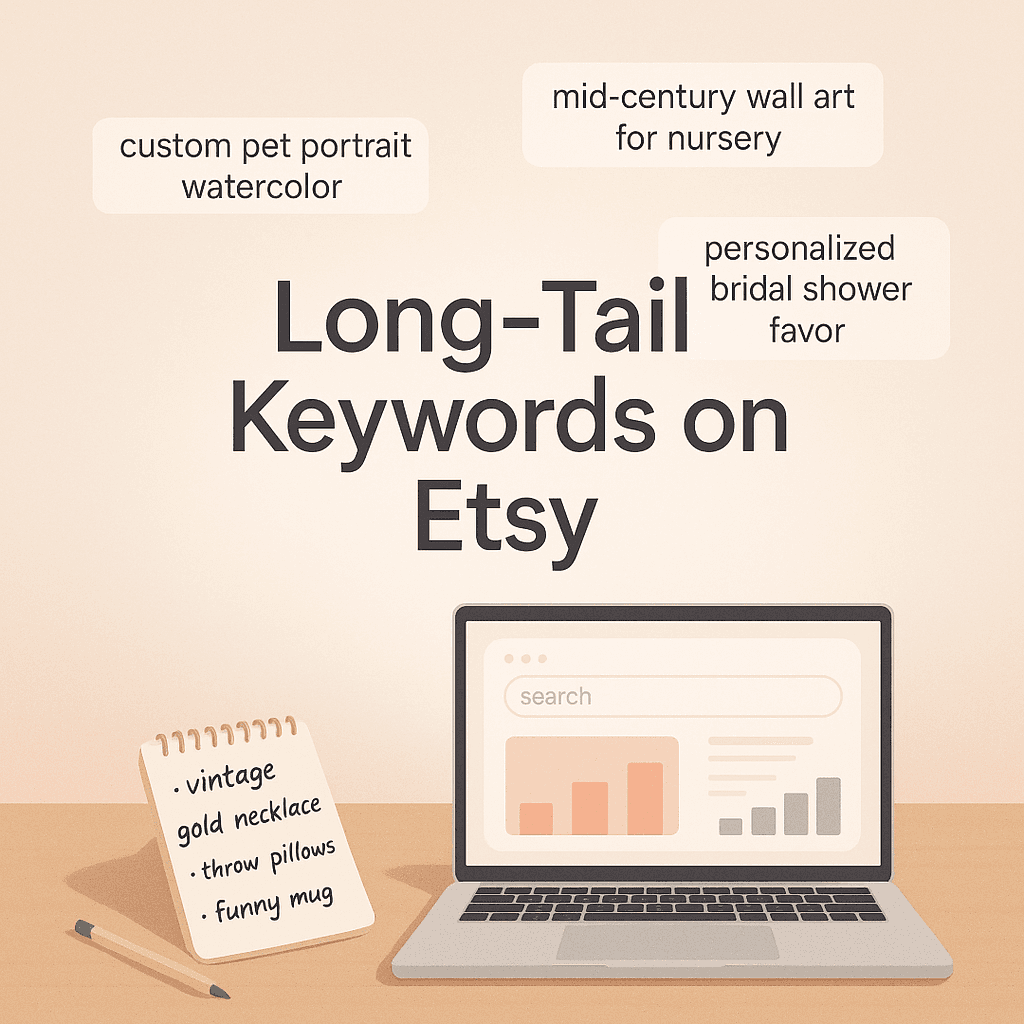
- 3 tags = exact match long-tail (what they’d actually search)
- 3 tags = close variations (synonyms, alternate phrasing)
- 3 tags = buyer intent (gift, occasion, recipient)
- 3 tags = product attributes (fit, style, material, type)
Example for that science teacher tee:
- science teacher shirt
- chemistry teacher tee
- funny teacher shirt
- teacher appreciation
- back to school shirt
- end of year gift
- stem teacher gift
- teacher gift idea
- geeky teacher
- unisex softstyle tee
- classroom shirt
- teacher tshirt
You get the idea. Still human. Still relevant. Not random.
4) Update your first photo to match the keyword
If your keyword is “science teacher shirt” but your main photo is a lifestyle shot where you can barely read the design… Etsy shoppers will scroll right past it.
Your first photo is not an art project. It’s a billboard.
You want:
- clear design visibility
- readable at thumbnail size
- neutral background
- looks like Etsy (not Amazon)
If you use mockups, make them look believable. If your mockup screams “POD template”, people bounce.
Step 3: If you have impressions but no clicks, your thumbnail is losing
This one hurts because it means Etsy is showing you. People are just not choosing you.
And thumbnails are brutally simple. Shoppers scan. They don’t study.
The fastest thumbnail fix (in order)
1) Increase contrast and legibility
Your design needs to be readable on a phone. If it’s tiny text, thin script fonts, or pale colors on pale shirts, you’re cooked.
Do a quick test:
- Screenshot your listing in search results
- Zoom out until it looks like a normal phone view
- Can you read it in 1 second?
If not, change the mockup or change the design presentation.
2) Match the vibe of the top sellers
Open Etsy. Search your main keyword. Look at the first row of results.
Don’t copy designs. Just observe:
- Are they mostly flat-lay?
- Models?
- White background?
- What shirt colors?
- What crop style?
If everyone is using clean flat lays and you’re using a dark wrinkled lifestyle photo, you might look “off” even if the product is fine.
3) Add one photo that answers “what am I buying?”
A shockingly common issue with POD listings is that the photos look nice but don’t show:
- front and back (if relevant)
- close-up of print texture (even a simulated one)
- size/fit vibe
- color options cleanly
People don’t buy when they feel uncertain.
A simple second photo with a clean close-up does a lot.
Step 4: If you have clicks but no sales, it’s an offer problem (not SEO)
If people click and leave, Etsy did its job. Now your listing has to close.
This is where most zero-sale listings actually are. They get a few visits, nothing happens, seller panics.
The fastest “offer fix” checklist
1) Pricing and shipping need to feel normal
Shoppers do mental math fast. If your shirt is $18 but shipping is $9, it feels worse than a $24 free shipping shirt.
You don’t always need free shipping. But you do need predictable shipping.
If you can, test:
- slightly higher item price
- lower shipping price
Even if the total is similar. Perception matters.
2) Your description should calm anxiety, not tell your life story
A high converting POD description is basically:
- what it is
- why they’ll love it
- key details
- how to order
- production + shipping times
- easy tone, no fluff
Example skeleton you can steal:
What it is:
This is a unisex [shirt/sweatshirt] printed to order with a soft feel and everyday fit.
Fit + feel:
Runs true to size for a relaxed fit. Size up for an oversized look.
Printing:
Design is printed with durable, vibrant inks. Made to last with proper care.
Processing + shipping:
Made to order. Processing time: X to Y business days. Shipping: X to Y business days (US).
Care:
Wash cold, inside out. Tumble dry low.
That’s enough. You’re not writing a novel. You’re reducing hesitation.
3) Show proof of quality
Even if you’re using POD and you don’t have your own photos, you can still help trust:
- include a close-up mockup that shows print texture
- add a simple “what to expect” graphic
- mention materials clearly (cotton blend, etc)
- clarify “printed to order”
People buy clarity.
The fastest single move: Refresh the listing instead of replacing it
Here’s what I’d do if you told me, right now, you have a listing with zero sales and you want the fastest fix.
I would not delete it.
I would refresh it in a way that changes how Etsy indexes it and how shoppers perceive it. That means:
- rewrite title
- replace tags
- adjust first photo
- tighten description
- optionally adjust price/shipping
Then wait long enough to let Etsy re-evaluate it. Usually you’ll see movement within a week or two if you hit the right keywords and your thumbnail is competitive.
Some people call this a relaunch. I just call it giving the listing a fair chance.
A quick “30 minute rescue” workflow you can repeat
This is the exact flow. Set a timer if you want.
Minutes 0 to 5: Diagnose
- Are impressions low, or clicks low, or sales low?
Minutes 5 to 15: Keyword rebuild
- Choose one buyer + one moment
- Build a new title around one primary keyword
- Replace all 13 tags with a clean set
Minutes 15 to 25: Photo swap
- Replace first photo with a clearer mockup
- Add a close-up as photo 2
- Add a simple sizing/fit graphic as photo 3
Minutes 25 to 30: Description cleanup
- Rewrite first 3 lines for clarity
- Add shipping + processing info clearly
- Add care instructions
Done.
Not glamorous. But it works.
Where most POD sellers waste time (so you don’t)
A few common traps:
Trap 1: “I’ll just add more products”
More listings can help. But if your shop can’t convert, more listings just means more unsold stuff.
Fix one listing. Learn what moved the needle. Then scale.
Trap 2: Changing everything at once, randomly
If you change title, tags, photos, price, and design all at once, and it still doesn’t sell, you learn nothing.
Try to make changes in a structured way. Even if it’s fast. This approach is similar to writing good Gherkin, where a structured format helps in understanding and improving the process.
Trap 3: Using broad keywords because they feel big
“Funny shirt” is big. So is “gift”. So is “shirt for men”.
But big keywords are expensive in attention. You’re fighting massive competition and Etsy has no reason to choose you.
Smaller, sharper keywords convert faster.
If you want the shortcut: use trend based keywords and done-for-you listing SEO
Manual fixing works. It just takes time. Especially the keyword part. Because you end up bouncing between Etsy search, eRank, EverBee, notes app, and 14 open tabs.
If you want a faster loop, this is where a tool like NinjaSell fits naturally.
NinjaSell is basically built for the exact problem we’re talking about:
- it generates Etsy-ready titles, tags, and descriptions based on bestseller and trend data
- it creates Etsy-style mockups
- it can push listings to Etsy as drafts so you can review before publishing
- it includes a trademark check against USPTO data (this alone saves headaches)
- and it has a “refresh underperformers” style feature (they call it ReSpark) to update stale listings with newer keywords
If your problem is “I don’t know what to change, and I don’t want to spend all night guessing tags”, that’s the pitch.
You can check it out here: https://ninjasell.com
What to expect after you fix it (so you don’t spiral)
This part matters. Because people update a listing and refresh the page like it’s a TikTok algorithm.
Usually the pattern looks like:
- first few days: small changes, more impressions
- next week: clicks start showing up if thumbnail is solid
- then: one sale, then another, then Etsy starts trusting it more
Not always. But often.
Also, don’t underestimate that your first sale on a listing is the hardest. Once it has a sale, conversion data exists. Etsy has more confidence. Shoppers have more confidence too.
So you’re not just chasing one sale. You’re trying to break the “no proof” barrier.
The simplest version of the fastest fix (if you only do one thing)
If you’re overwhelmed and you want the one move that gives the biggest impact, do this:
Rewrite the title and tags around one specific buyer and one specific occasion. Then swap your first photo to match that keyword.
That’s it.
Because when a listing has zero sales, the problem is usually that it’s too vague to rank and too vague to click.
Get specific. Get readable. Make the offer feel safe.
Then let it breathe for a week.
And if you want to speed up the process, use a tool that can do the heavy lifting and refresh listings quickly. That’s literally what NinjaSell is for.
Now go rescue that listing sitting in your shop like a ghost.
FAQs (Frequently Asked Questions)
Why does my Etsy listing have zero sales despite having a solid design and proper tags?
Zero sales usually mean one of three things: your listing isn’t getting impressions (Etsy isn’t showing it in search), you’re getting impressions but no clicks (thumbnail isn’t attracting attention), or you’re getting clicks but no purchases (price, shipping, photos, description, or trust issues). It’s often not your design but how the listing is optimized for Etsy’s search and buyers.
How can I quickly determine what’s wrong with my Etsy listing?
Check your listing stats focusing on three key numbers: impressions, visits (clicks), and conversion rate. Low impressions indicate a keyword or SEO problem; impressions but no visits suggest a thumbnail issue; visits but no sales point to problems with price, shipping, photos, description, or trust. Identifying which bucket you fall into helps you fix the right issue fast.
What is the ‘Relevance Reset’ for improving low impression Etsy listings?
The Relevance Reset is a four-part approach to fix low impressions by clarifying your listing’s focus. It involves: 1) Picking one specific buyer and moment for your product; 2) Rewriting the title clearly with intent using primary keywords; 3) Fixing tags strategically by including exact matches, variations, buyer intent, and product attributes; 4) Updating the first photo to clearly showcase your design matching the keyword.
How should I rewrite my Etsy listing title for better search relevance?
Rewrite your title like a human with clear intent. Use a structure like: Primary keyword (exact) + product type + clarifier + secondary keyword + gift intent. For example: ‘Science Teacher Shirt, Funny Chemistry Tee, Teacher Appreciation Gift, Back to School Top.’ Avoid stuffing unrelated keywords or making it a chaotic word pile; clarity helps Etsy understand and rank your product better.
What’s the best way to create effective tags for my Etsy POD listings?
Use a balanced tag strategy with 12 tags divided into four groups: 3 exact match long-tail keywords that buyers would actually search; 3 close variations or synonyms; 3 tags indicating buyer intent like gift occasion or recipient; and 3 product attributes such as fit, style, material, or type. This approach ensures relevance without random guessing and improves visibility.
How can I improve my Etsy listing thumbnail to get more clicks?
Your first photo should act like a billboard: clearly show your design with good readability even at thumbnail size. Use a neutral background and make it look like an authentic Etsy product image rather than a generic POD template. If you use mockups, ensure they look believable and highlight the key features buyers care about to entice clicks.