If you have been on Etsy for more than, like, a minute, you have probably stared at the two options and thought: ok… but what does Etsy actually want me to do here?
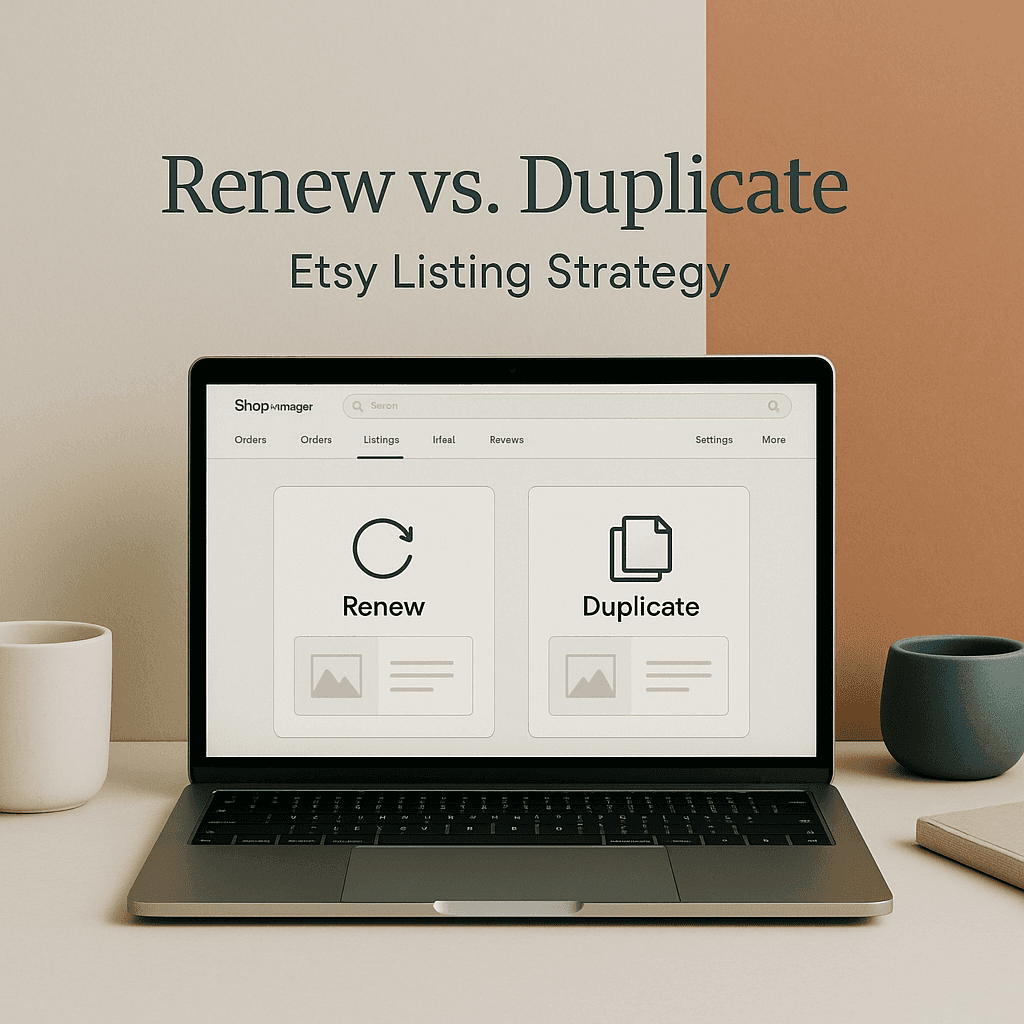
Renew. Duplicate.
They sound similar. They are not the same. And if you pick the wrong one at the wrong time, you can quietly mess up your momentum, your stats, or just waste time in a way that hurts more than the $0.20 fee.
So this post is the practical breakdown. When to renew. When to duplicate. What each one really does, what it does not do, and a few patterns I have seen that work especially well for POD shops.
The quick definition (so we are on the same page)
Renewing a listing is basically paying Etsy to extend that same listing for another 4-month cycle (or to relist it after it sold out, depending on how you set it up). It keeps the listing identity intact. Same URL, same listing history, same reviews attached to that listing.
Duplicating makes a new listing draft that copies the content from the original. It is a new listing. New URL. New “life”. New chance to change photos, title, tags, personalization, variations. It does not bring over reviews because reviews are tied to the original listing.
This is the whole game: renew = keep history. duplicate = start fresh with a clone.
A simple mental model: renew when the “container” is good, duplicate when the “offer” needs a new container
That is a weird sentence, but it helps.
- If the listing is fundamentally right and you just need it to keep running, renew.
- If the listing needs a new identity, different targeting, or a new angle, duplicate.
Most sellers get tripped up because they try to use renew as a reset button. It is not a reset button.
What renewing actually does (and doesn’t)
Renewing does a few things:
- Extends the listing duration (another 4 months).
- Can give a small recency bump (Etsy does like fresh activity, but it is not magic).
- Keeps your listing stats intact (favorites, sales history, conversion signals).
- Keeps the same listing link (important if it is pinned on Pinterest, shared on socials, in your emails, etc).
What renewing does not do:
- It does not rewrite your SEO. Your title and tags are still your title and tags.
- It does not “fix” a bad listing.
- It does not split test anything.
- It does not turn a non-seller into a seller by vibes alone.
If your product is solid but the listing just needs to keep existing, renew is fine. If the listing is weak, renewing is basically paying to keep being weak.
What duplicating actually does (and doesn’t)
Duplicating is more strategic than it sounds.
Duplicating does:
- Creates a new listing draft that you can rebuild without touching the original.
- Lets you target a new keyword set without confusing Etsy’s learned behavior on the original listing.
- Lets you create multiple angles from one design (huge for POD).
- Lets you change price structure, shipping settings, variations, photos, mockup style, and overall positioning.
Duplicating does not do:
- Transfer reviews to the new listing.
- Preserve the original listing URL.
- Automatically solve your conversion problems if your product, mockups, or pricing still do not make sense.
But duplicating is how you build a clean “Version 2” without burning the “Version 1” that might still be doing ok.
Renew this listing when…
1. It already has sales and you do not want to break its momentum
Sales history matters. A listing that has proven it can convert is an asset.
If it is still getting:
- consistent favorites
- steady clicks
- occasional sales
- decent conversion rate for your niche
…renewing is usually the boring correct answer.
Because you are keeping all the signals Etsy has already collected. And Etsy loves signals. Etsy loves patterns.
2. It has reviews attached (especially if reviews mention the exact item)
In POD, reviews can be the difference between “looks risky” and “ok I will buy”.
If your listing has reviews that say stuff like:
- “The shirt is so soft”
- “The print looks exactly like the photo”
- “Bought for my husband and he loved it”
…do not casually throw that away by duplicating and moving on. You can duplicate, sure, but keep the original alive and renewed.
3. You have external traffic pointing to that exact URL
If you have:
- Pinterest pins that still get impressions
- TikTok links in your bio
- old blog posts linking to the item
- email campaigns pointing to it
Renewing keeps the URL stable. Duplicating makes a new URL and now your old traffic is basically pointing at the “old version” forever.
Sometimes that is fine. But know you are doing it.
4. You are making small changes, not a full reposition
If you are just tweaking:
- first photo
- description clarity
- minor tag cleanup
- adding better size chart image
- adding a lifestyle mockup
That is not a “new listing”, that is maintenance. Renew and optimize inside the same listing.
5. The design is evergreen and you want it to quietly keep selling
Some POD designs are not trend-chasing. They are steady.
Things like:
- teacher appreciation basics
- simple mom sayings
- generic birthday stuff
- minimal pet themes
Renewing keeps them on the shelf. You want a back catalog that does not require constant reinvention.
Duplicate this listing when…
1. You want to target a different keyword or audience with the same design
This is the most common good reason to duplicate.
Example:
- Original listing targets: “funny dad shirt”
- New listing could target: “dad barbecue shirt” or “grilling dad tee” or “father’s day grilling”
Same design. Different intent. Different buyer mindset.
Trying to cram all intents into one listing can make your title and tags unfocused. Etsy likes relevance. Buyers like clarity.
Duplicating lets you commit.
2. Your original listing is “stuck” and you want a clean SEO rebuild
If a listing has been up for months, has views, has favorites, and just never converts… it might be positioned wrong. Sometimes you can fix it in place. Other times, it’s easier to duplicate and rebuild as if you’re launching it today.
This process involves more than just changing photos or tweaking titles. It’s about optimizing your listing for better visibility and conversion rates. Incorporating SEO strategies into your rebuild can significantly enhance its performance.
New photos. New title strategy. New tags. Maybe even a different product type if the design fits better somewhere else.
And importantly, you are not wiping out the old listing. You are creating a second shot.
3. You are creating variations Etsy does not handle cleanly in one listing
Some sellers try to cram too much into variations and it gets messy.
If you have one design that works on:
- tee
- sweatshirt
- hoodie
You might do better duplicating into separate listings so each one can have:
- product-specific photos
- a title that says exactly what it is
- price that makes sense without confusing buyers
That usually helps conversion. People want to know what they are buying in two seconds.
4. You want to change the “first impression” completely
If your first photo is wrong for the buyer, the listing can die before it even starts.
If you need to change:
- mockup style (flat lay vs model)
- aesthetic (minimal vs bold)
- background color (Etsy search grid matters)
- branding style
Duplicating is safer. It lets you test a totally different creative direction while keeping the original live.
5. You are preparing for a seasonal push and want a dedicated seasonal listing
Seasonal listings are their own thing.
If you have an evergreen design that can be framed as:
- “Father’s Day Gift”
- “Christmas Pajama Shirt”
- “4th of July Party Tee”
- “Back to School Teacher Tee”
…duplicate and seasonalize it.
Why? Because seasonal keywords can clutter an evergreen listing and then you have to clean it up later. Also seasonal photos and copy tend to look weird in March.
Make a seasonal version. Let it run. Renew it through the season. Then deactivate or let it expire after.
The POD reality: you are not just managing listings, you are managing experiments
Print on demand is a testing game. Not in a scammy way. Just in a normal business way.
Different mockups can double conversion. Different titles can completely change which searches you show up in. Different pricing can swing your margin and your sales volume.
So, duplicating is your experiment button.
Renewing is your “keep this proven thing alive” button.
A practical decision checklist (copy this)
Ask these in order:
1. Does this listing have sales or strong conversion?
- If yes → Renew (and optimize gently)
- If no → Continue to question 2
2. Do I want a different audience or keyword set than the current listing targets?
- If yes → Duplicate
- If no → Continue to question 3
3. Am I making small tweaks or a full reposition?
- If small tweaks → Renew (or just edit, no need to do anything fancy)
- If full reposition → Duplicate
4. Is the listing URL valuable (Pinterest, blog links, etc)?
- If yes → Renew the original even if you duplicate a new one
- If no → Duplicate freely
5. Does the listing have reviews that matter?
- If yes → Renew the original (even if you also duplicate)
- If no → Duplicating has less downside
Common mistakes I see (and yeah, I have done some of these too)
Mistake 1: Duplicating a listing that already has great reviews, then abandoning the original
You just split your own social proof. Keep the original alive if it is working.
Mistake 2: Renewing a dead listing for months because “maybe Etsy will pick it up”
Renewing is not CPR. If it is dead, change something meaningful. Duplicate and rebuild, or fix the offer.
Mistake 3: Changing everything inside one listing and confusing Etsy
If you drastically change title, tags, photos, and product type all at once, Etsy has to relearn what it is. Sometimes that works. Often it just creates noise.
Duplicating is cleaner because you can leave the original as-is and compare.
Mistake 4: Making ten duplicates and none of them are meaningfully different
If your duplicates are basically the same title, same tags, same photos, just slightly rearranged… you are not testing. You are paying $0.20 for the illusion of action.
Change one major variable per duplicate:
- keyword intent
- first photo style
- product type
- price point
What I personally do for POD shops (a simple workflow)
This is the workflow that keeps me sane.
Step 1: Keep winners boring
If a listing sells, renew it. Do not overthink it. Small improvements only.
Step 2: Create “intent duplicates”
For designs with potential, I make 2 to 4 duplicates, each with a different intent focus.
Example for the same design:
- “Funny Golf Shirt”
- “Golf Dad Gift”
- “Retired Golfing Tee”
- “Golf Buddy Birthday Shirt”
Different buyer. Different situation. Same art.
Step 3: Let them run long enough to tell the truth
Etsy data is noisy day to day. Give a test at least a couple weeks, longer if your shop is newer.
Step 4: Kill losers without emotion
If it is clearly not getting traction, let it expire. Or deactivate. Your shop should not be a graveyard of “maybe”.
Where NinjaSell fits in (if you want the fast version of all this)
If you are doing POD, the hard part is usually not clicking renew or duplicate. It is the stuff around it.
Writing new titles and tags that actually match what people are searching. Building mockups that look like Etsy winners. Avoiding trademark problems. Refreshing underperformers without rewriting everything by hand.
That is basically what NinjaSell is built for.
- You upload a design.
- NinjaSell generates Etsy-ready listings using bestseller and trend data.
- It can create Etsy-style mockups.
- It can do trademark checks against USPTO data.
- And it has a “ReSpark” style approach to refreshing underperforming listings with updated trend-based keywords.
So if your decision is “duplicate this listing because I need a new angle”, NinjaSell makes that way less annoying because you are not starting from a blank page every time.
You can check it out here: ninjasell.com
Image ideas you can add in your post (with placements)
You asked for relevant images throughout. Here are a few that fit naturally.
1) Etsy listing manager screenshot (Renew vs Duplicate buttons)
Place this near the intro definition section.
2) Simple decision flowchart graphic
Place this near the checklist section.
3) Before and after example: same design, two different listing intents
Place this near the “intent duplicates” section.
4) Mockup style comparison image (flat lay vs model)
Place this near the “first impression” section.
Note: those links are placeholders. Swap them with your actual WordPress media URLs (or upload images with these filenames to keep it simple).
Wrap up (the non-dramatic truth)
Renew when the listing is already working and you want to keep its history and proof.
Duplicate when you need a new angle. New keywords. New audience. New photos. A cleaner test.
And honestly… you will often do both. Renew the proven original, duplicate to experiment, and let the data decide which one deserves more attention.
That is the whole thing. Keep winners alive. Create smart duplicates. Stop paying to keep weak listings weak.
FAQs (Frequently Asked Questions)
What is the difference between renewing and duplicating a listing on Etsy?
Renewing a listing extends the same listing for another 4-month cycle, keeping its URL, history, and reviews intact. Duplicating creates a new listing draft copying the original content but with a new URL and no reviews, allowing you to change photos, titles, tags, and variations.
When should I choose to renew my Etsy listing?
You should renew your listing when it already has sales momentum, valuable reviews especially mentioning the exact item, external traffic pointing to its URL (like Pinterest or TikTok links), when making small changes like photo tweaks or tag cleanup, or when your design is evergreen and you want it to keep selling quietly.
Why shouldn’t I use renewing as a reset button for my Etsy listings?
Renewing does not rewrite SEO, fix bad listings, split test variations, or turn non-sellers into sellers by itself. It simply extends the existing listing’s life while maintaining its stats. If your listing is weak, renewing just pays to keep it weak instead of improving it.
What are the benefits of duplicating a listing on Etsy?
Duplicating allows you to create a fresh version of your product with a new URL and identity. You can target new keywords without affecting the original listing’s performance, experiment with different photos, titles, prices, shipping settings, variations, and overall positioning—especially useful for print-on-demand shops.
What does renewing an Etsy listing not do?
Renewing does not change your SEO elements like title or tags; it doesn’t fix poor conversions or bad listings; it doesn’t split test different versions; and it won’t generate sales if your product or presentation isn’t appealing enough.
How does duplicating affect reviews and URLs on Etsy?
Duplicating creates a brand new listing that does not carry over reviews from the original since reviews are tied to their specific listings. Also, duplicated listings have new URLs, so any external traffic linked to the old URL will not automatically redirect to the new one.